

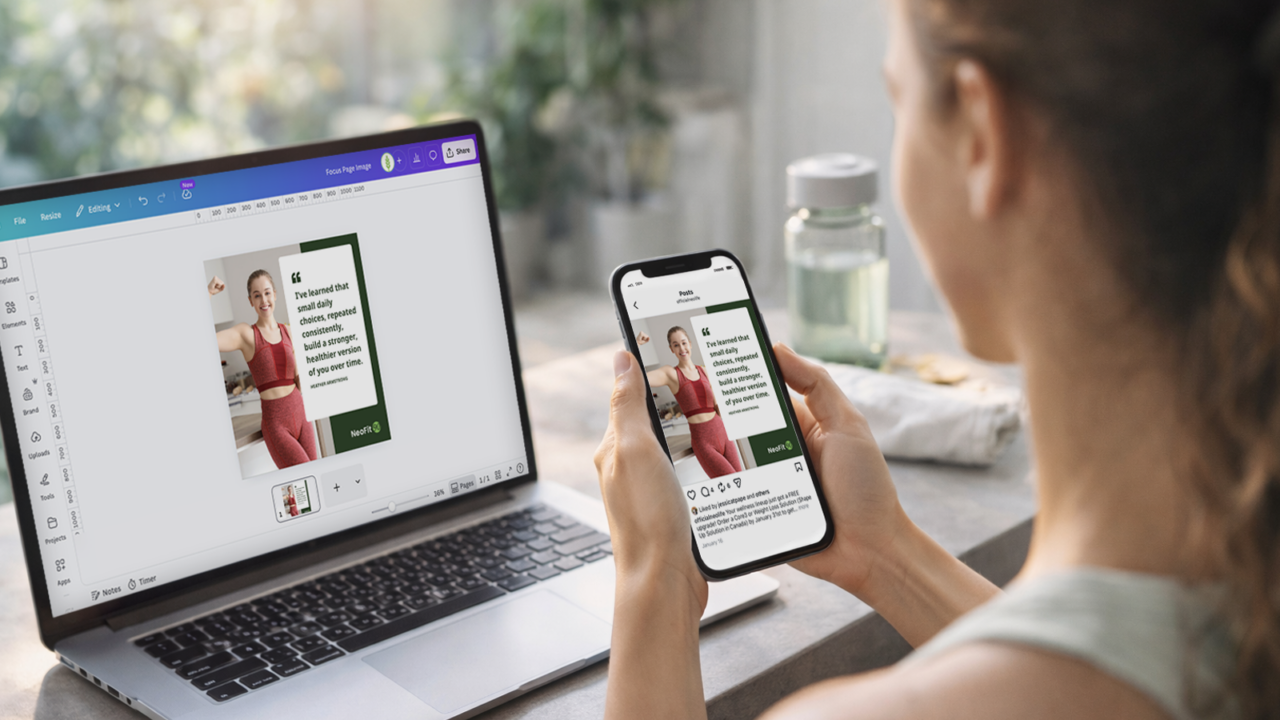
We just made it easier than ever to share your NeoFit90 journey!
Our new NeoFit90 Canva templates are designed to help you create beautiful, inspiring posts in just a few minutes. Whether you want to share your results, a 45-day check-in, a favorite healthy recipe, a personal win, or a goal you are working toward, there is a template for you.
Why We Created These Templates
Your story matters.
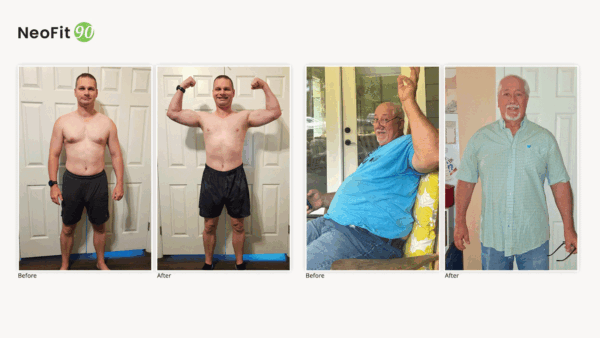
When people see real progress, real habits, and real encouragement from others in the community, it helps them believe they can do it too. These Canva templates make it easy to turn your journey into a post you can proudly share in the NeoFit90 Facebook Group and on social media.
You can use them to share:
- Before-and-after photos
- Short testimonials
- 45-day progress updates
- Personal goals
- Motivational quotes
- Daily commitments
- Healthy recipes
The PDF includes all of these template options. Download Now »
Step-by-Step: How to Use the Templates
Step 1: Open the template link
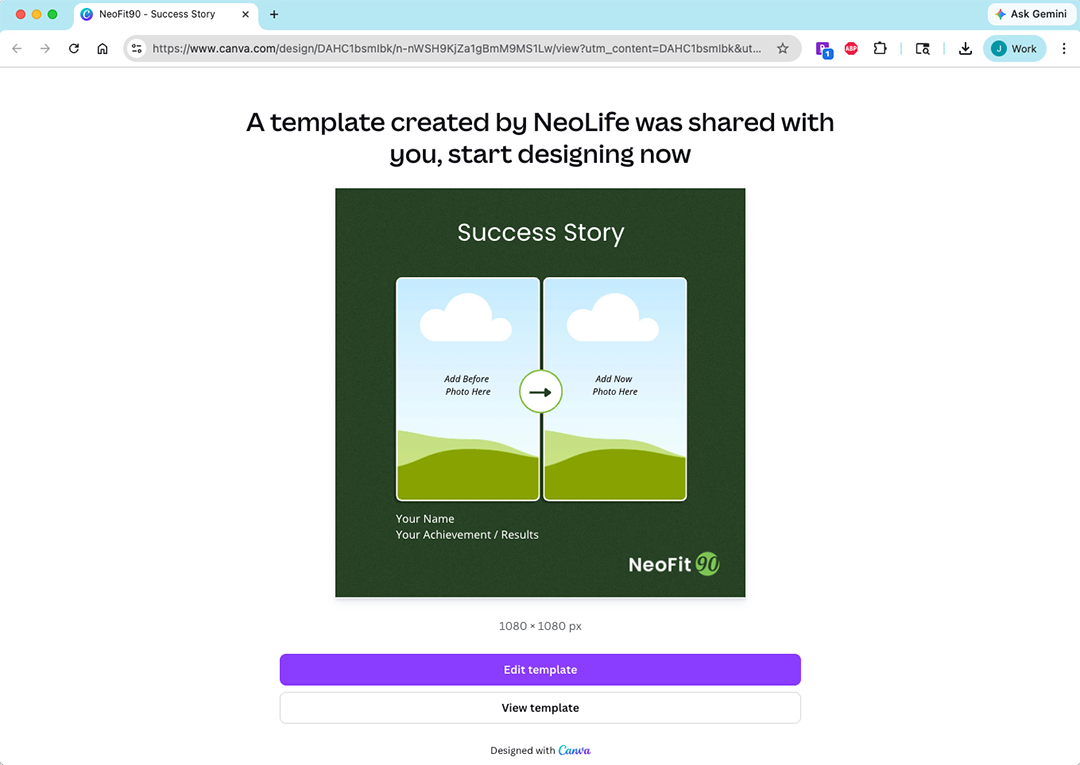
Start by opening the NeoFit90 Canva Template PDF. Once opened, you’ll see different template options and underneath them, is a link to Canva that you can click on.
Once the link opens, Canva will prompt you to use the template in your own account so you can edit it.
Step 2: Add your photos
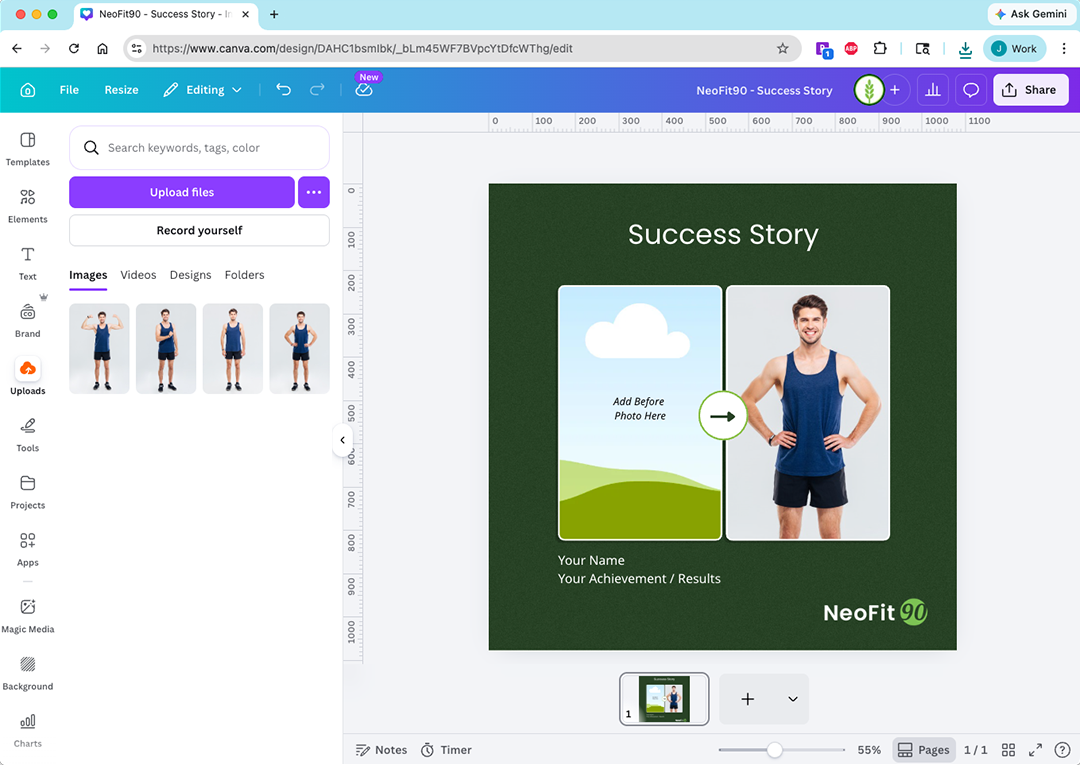
Upload your own photos into the template.
Depending on the design you choose, you may want to add:
- A current photo
- Before-and-after photos
- A progress photo
- A photo of your meal or recipe
Try to choose clear, bright images that tell your story well.
Step 3: Update the text
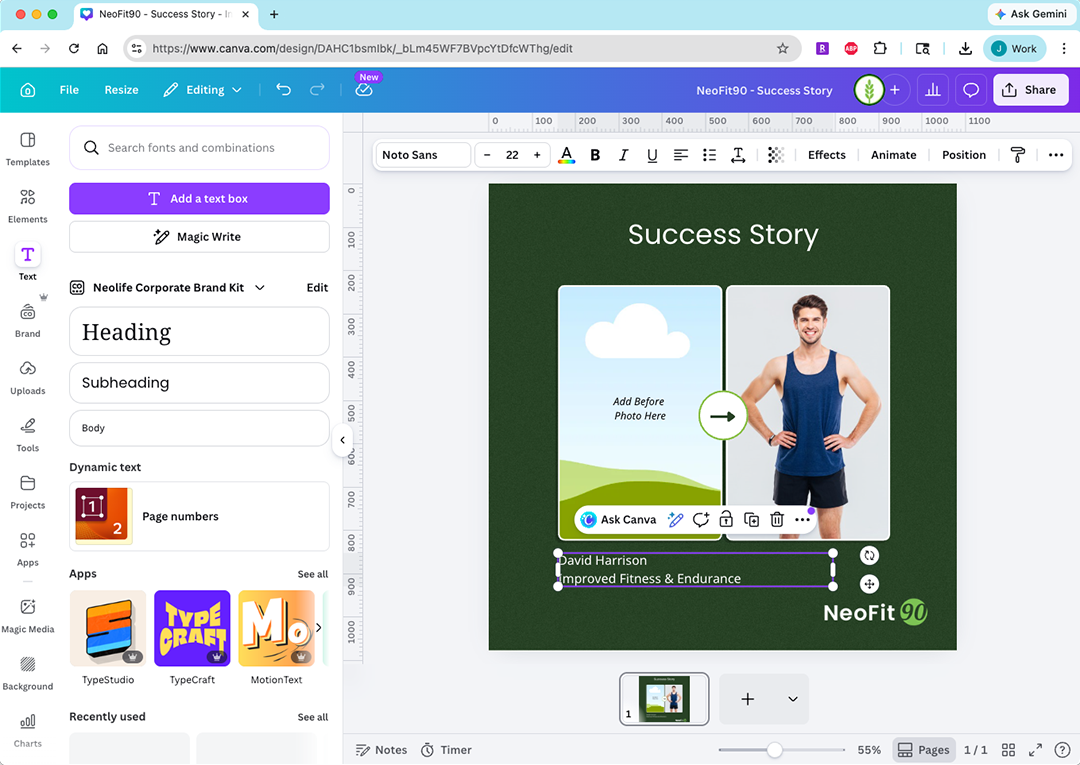
Replace the sample text with your own words.
You can include:
- Your name
- Your result or achievement
- A short testimonial
- Your goal and target date
- A motivational quote
- Your “Today I will…” statement
- A recipe title or short description
Keep your message simple and personal. A few honest sentences are often the most powerful.
Step 4: Personalize the design
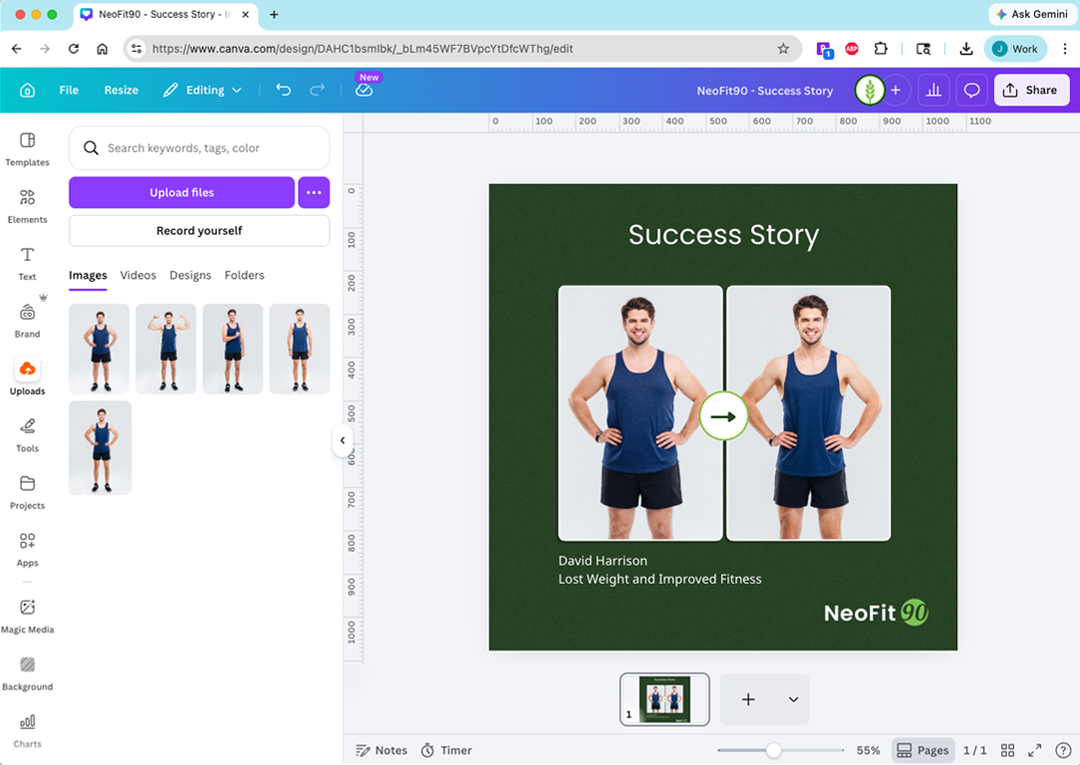
Make it your own by adjusting the layout if needed.
You can:
- Resize text so it fits well
- Move elements around
- Swap photos
The goal is not to make it perfect. The goal is to make it feel like you.
Step 5: Download your finished design
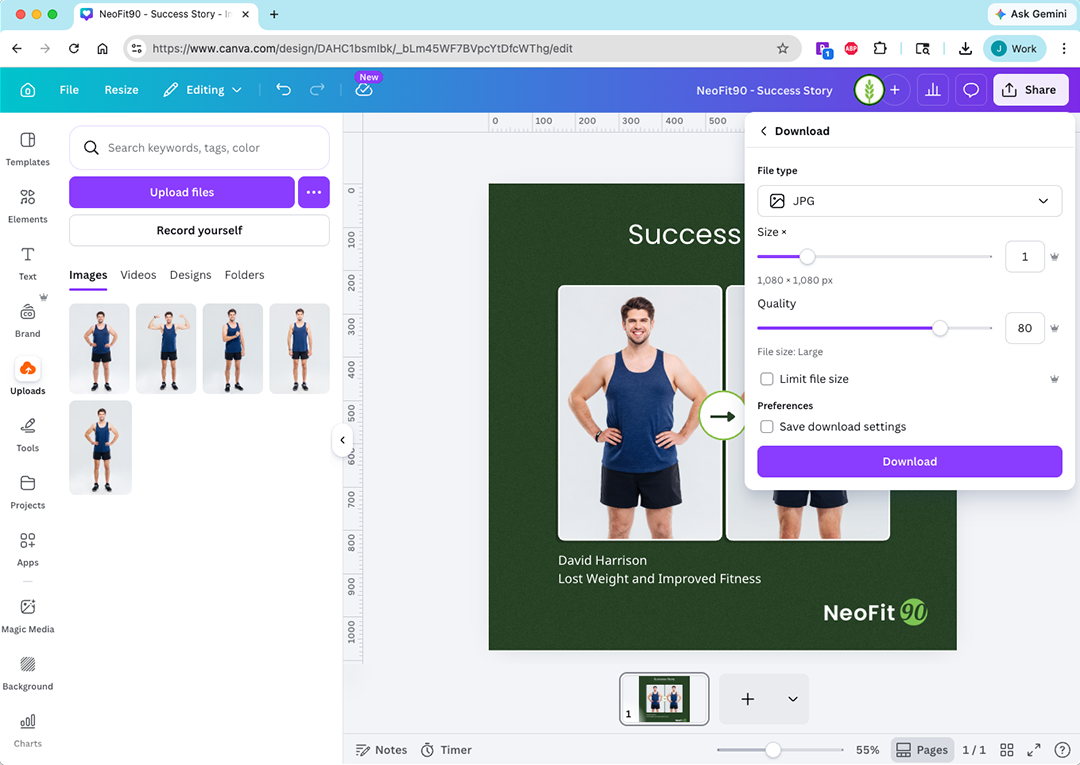
Once your post looks the way you want, download it from Canva.
A PNG or JPEG file usually works best for social media posts.
Step 6: Share it with the community
Post your finished graphic in the NeoFit90 Facebook Group so others can celebrate with you!
You can also share it on your own social media to inspire friends, family, and others on their wellness journey.
Tips for Creating a Great Post
Here are a few simple best practices:
- Be real and honest
- Keep your message short and clear
- Use photos you feel proud of
- Focus on progress, not perfection
- Celebrate habits, wins, and consistency
Your post does not have to be dramatic to be meaningful. Even small wins can inspire someone else.
Ideas for What to Post
Not sure where to start? Here are a few easy ideas:
Share your results
Use a before-and-after or fitness goal template to highlight your progress.
Post a 45-day update
Celebrate consistency and show how far you have come.
Set a goal publicly
Use a My Goal template to share what you are working toward and your target date.
Encourage someone else
Post a quote or a “Today I will…” graphic to motivate the community.
Share a healthy favorite
Use a recipe template to show a meal or snack that supports your NeoFit90 journey.
We can’t wait to see what you create!
Whether you are posting your results, a milestone, or a favorite recipe, your story can encourage someone else to keep going.