










📣NeoLife.com just got better.
Your cart is now split into Today’s Order and NeoShip, and Save & Share carts are now available on the new NeoLife.com, along with improvements to navigation, checkout, and accessibility.
🛒 A cart built for flexibility
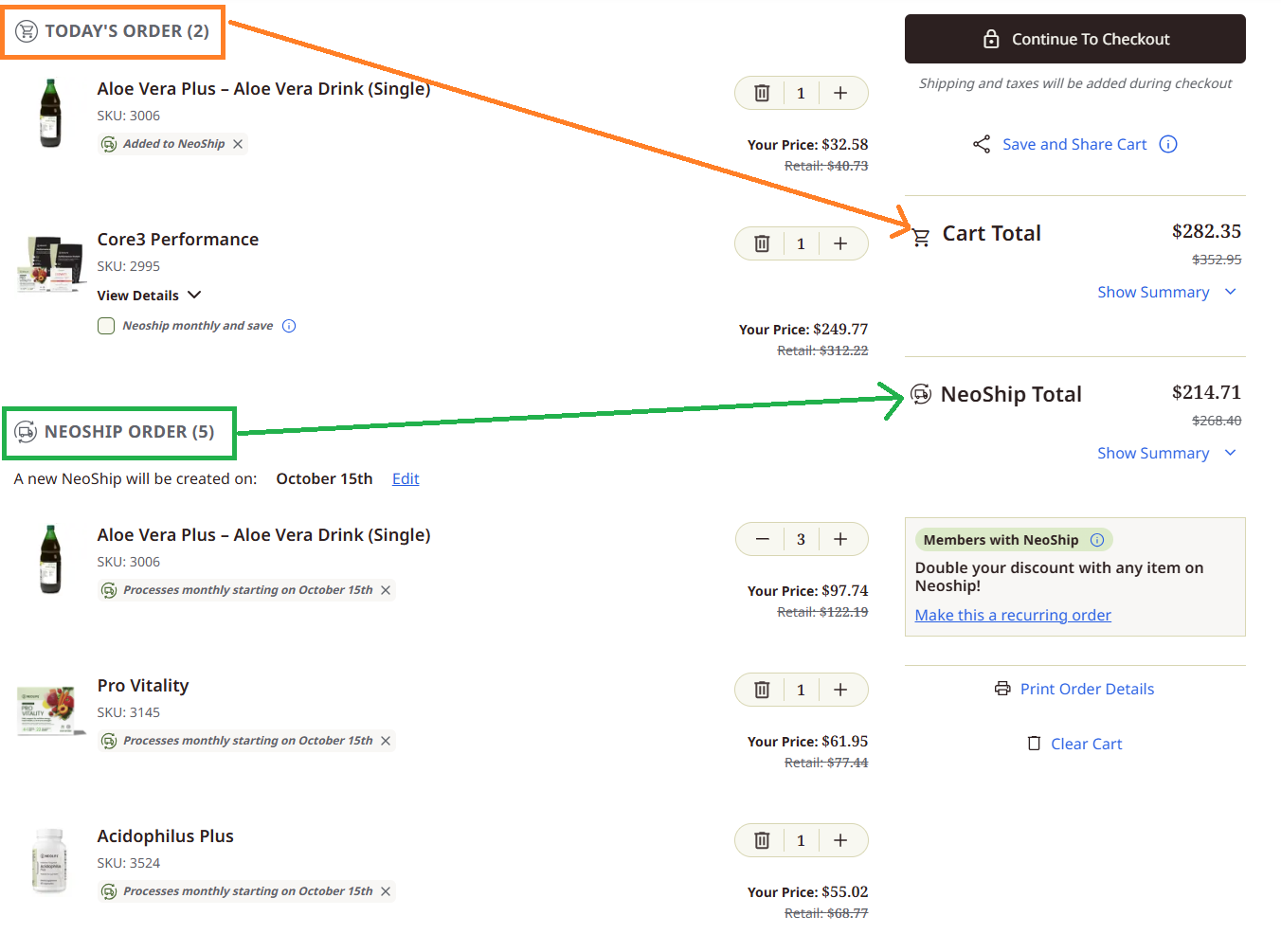
The cart is now split into Today’s Order and NeoShip, so you decide what to order now and what to set up for later.
- No order required today. You no longer have to place an order today for something you’d like on NeoShip.
- Different quantities. Deliver one quantity on NeoShip and another in Today’s Order.
🛍️ Save & Share carts are here
A favorite from the legacy site is now on the new NeoLife.com, and it works with the new split cart.
- Share one cart with both. A shared cart can include Today’s Order plus a built-in NeoShip.
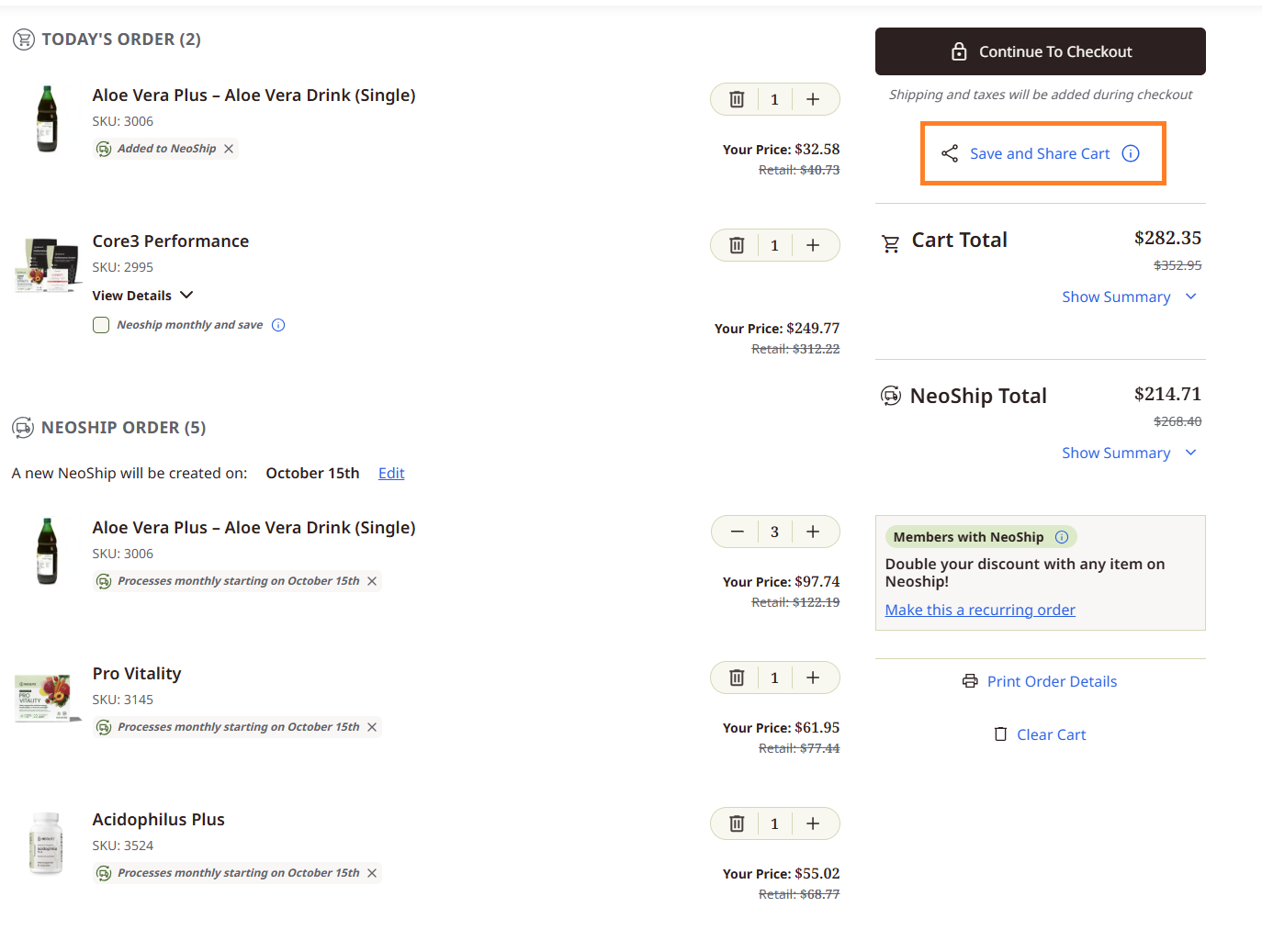
- Your choice on enrollment. Include a Member or Promoter enrollment product, or leave it out. Add them from the cart review page or a product page.
- Callouts for prospects. Without an enrollment product, your prospect still sees newly designed callouts to save as a Member or Promoter.
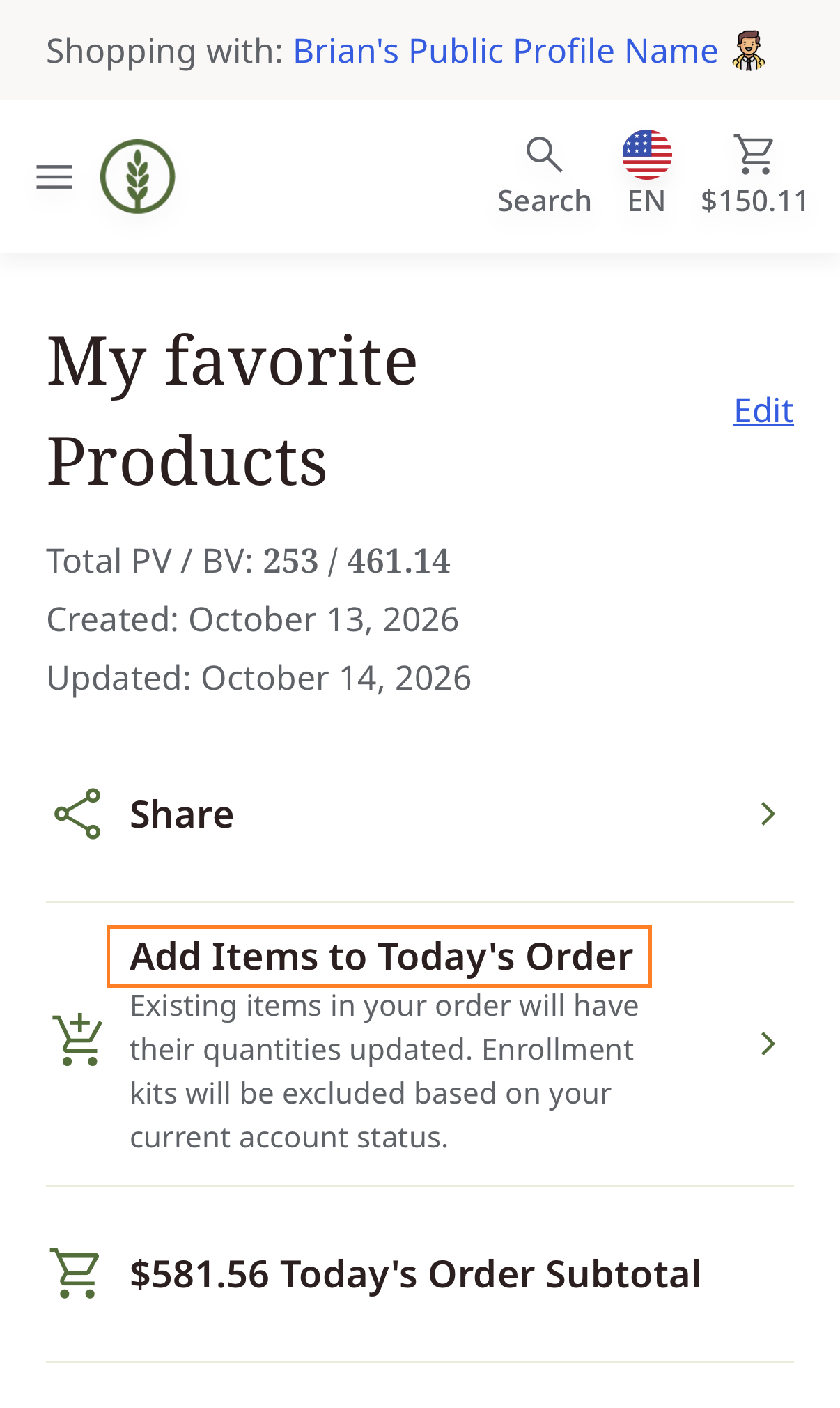
- Clearer messaging. The button was relabeled “Add Items to Today’s Order“, with a short note explaining that existing quantities will be updated and enrollment kits are excluded based on account status.
🧭 Find your way around
- Country & Language selector is back in the header, next to your cart, on desktop and mobile. The pop-up shows each country’s flag and currency, so it’s easier to land on the right storefront.
Desktop:

Mobile:

- The navigation menu closes after you click a link, so you see the page right away.
- Best Sellers is refreshed and shows as upsells at the bottom of the Cart Review page. Four are shown by default, with a “load more” button for up to 12 additional products.
- Saved Carts and Favorites now appear below for logged-in users.
🛒 Checkout, smoother
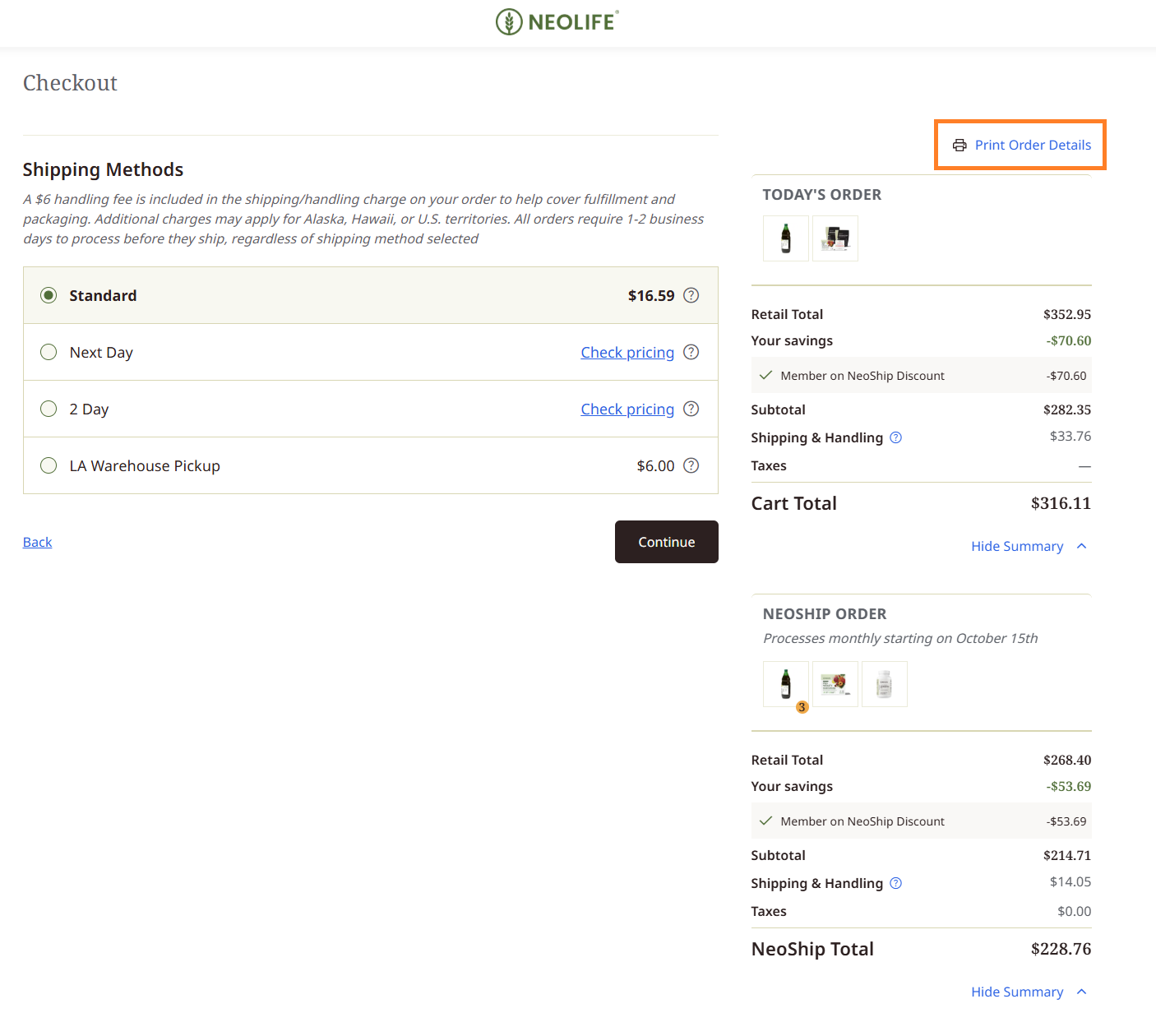
- Print Order Details gives you a clean, shareable summary with payment info excluded. Find it on the Cart Review page and the Shipping Methods page. It works as a “Mock Invoice” for Promoters (and Members) who want to share what an order will cost before a final decision.
Cart review page:
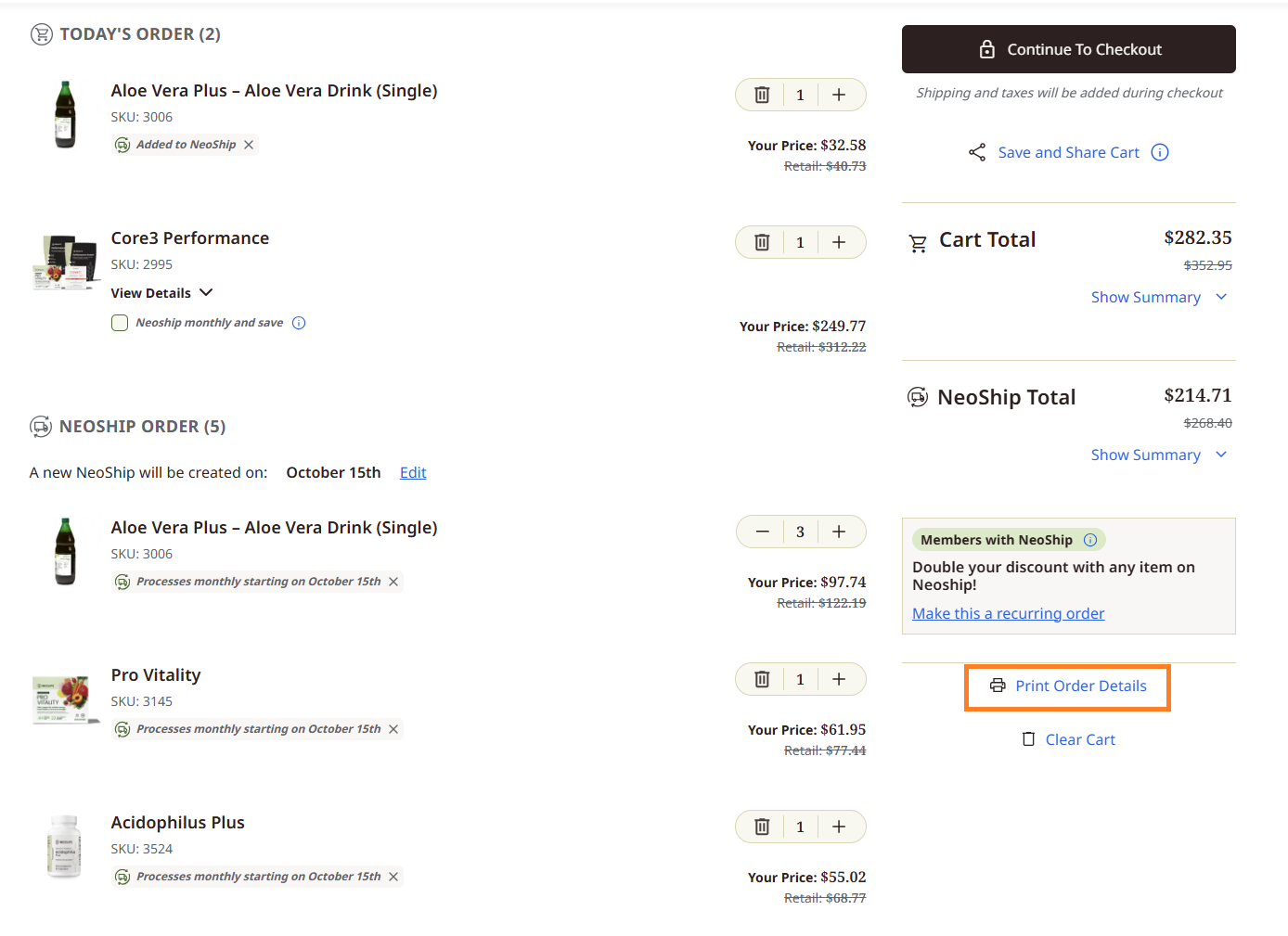 Shipping Methods page:
- Refreshing your confirmation page now shows your order details without replaying the processing messages.
- Back to checkout after login. If you log in from checkout, you return to the first checkout step.
📦 NeoShip, clearer and more accurate
- Prices and totals recalculate right away when you clear your cart, change quantities, or add products.
- NeoShip ID numbers now show an “NS-” prefix (for example, NS-330077382) to avoid confusion between NeoLife IDs and NeoShip IDs.
- The date picker’s Save button applies your date and keeps your place on the page.
🌟 For Promoters and those becoming one
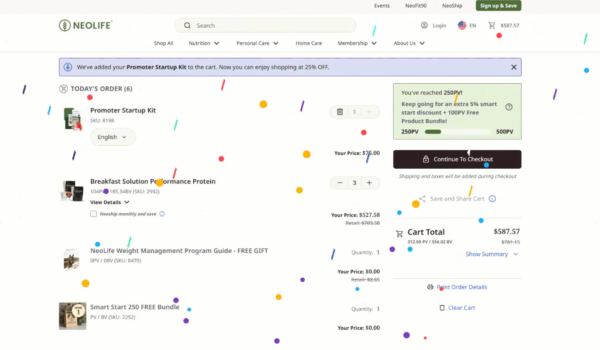
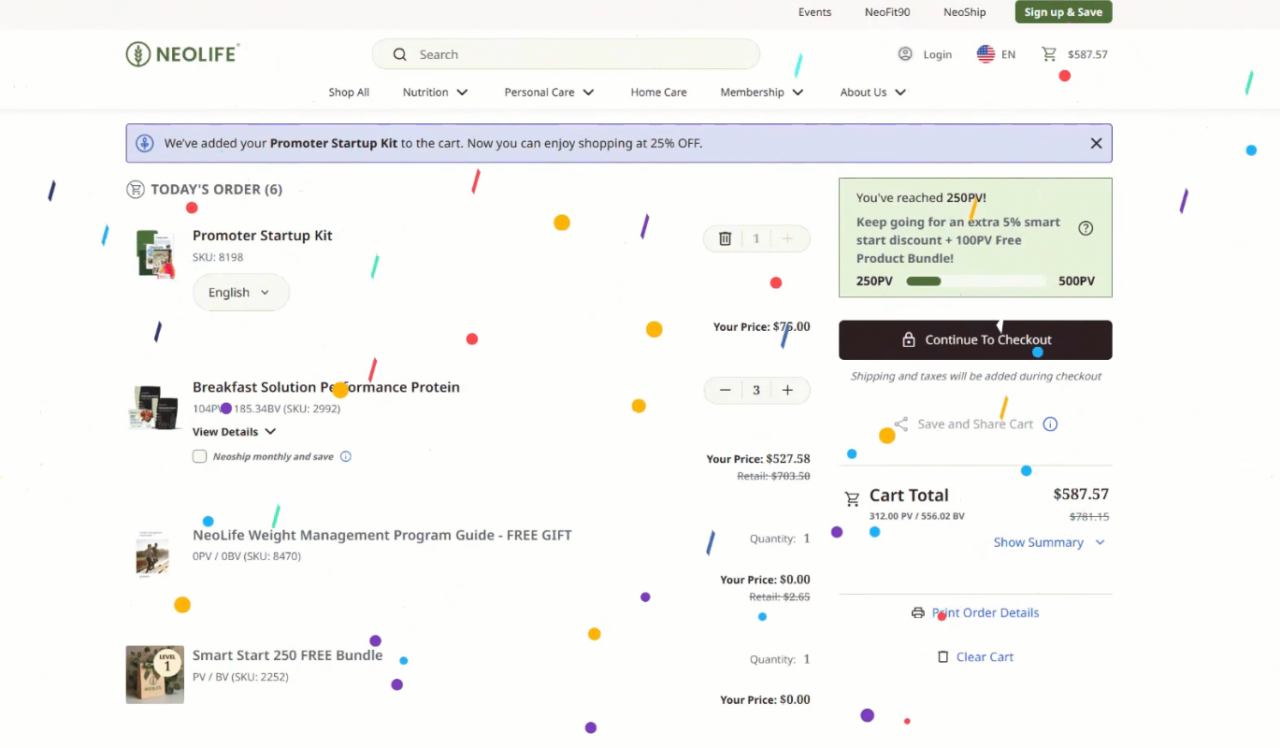
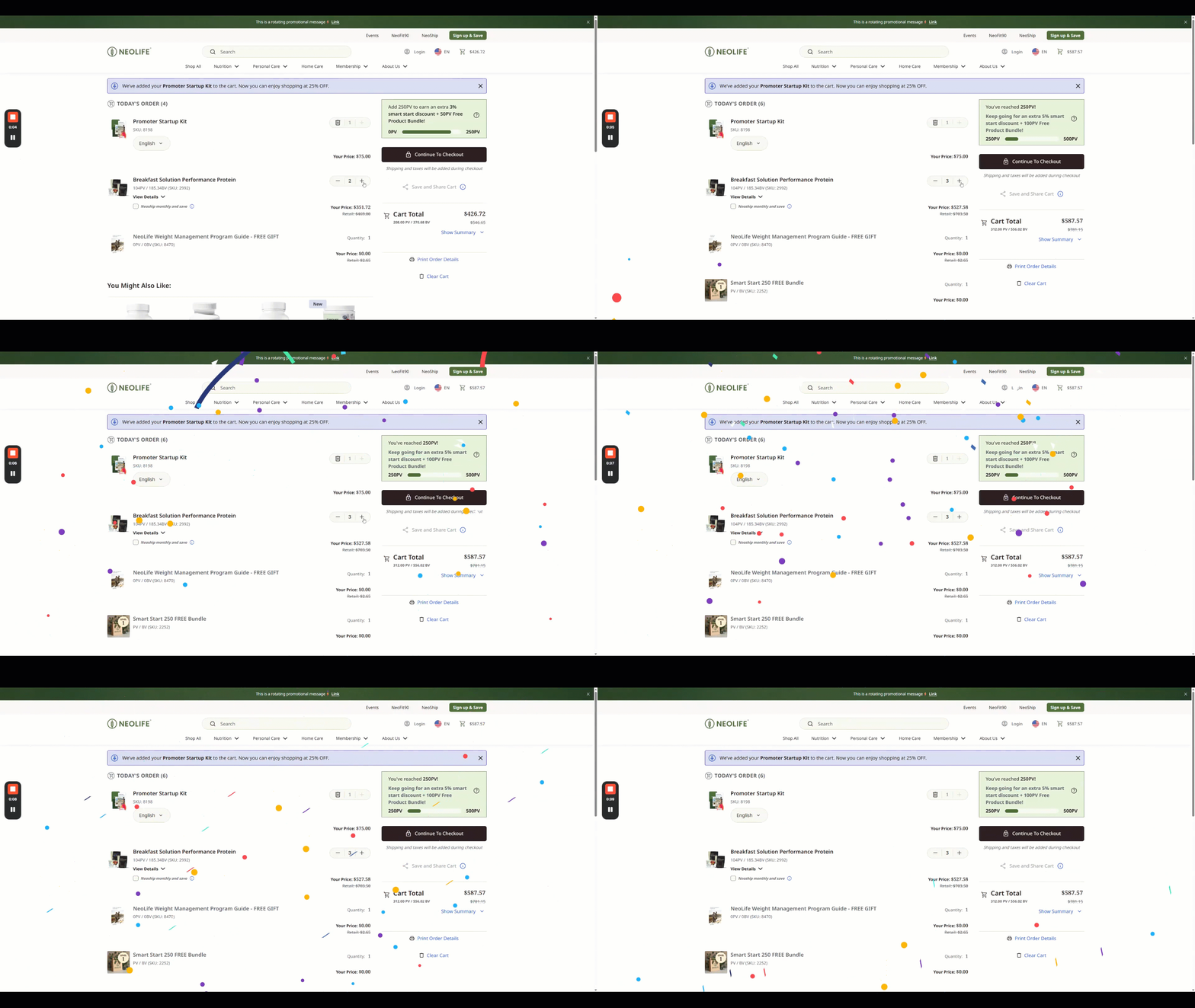
- Full-screen celebrations at Smart Start PV milestones (250, 500, 1,000, 2,000, and 4,000 PV), complete with streamers and confetti.
- Promoter pricing and PV/BV show only to Promoters and to shoppers enrolling or upgrading.
- Referral credit remains the same when a shopper switches countries on a Promoter or Member’s referral site.
📱 Mobile & accessibility
- Cleaner mobile layouts on the cart, NeoShip, and Order History pages.
- Better screen reader support. Quantity fields name their product, mini cart quantity changes are announced, and the NeoShip remove button is clearer.
There are so many new and exciting updates on the new NeoLife.com. The only way to fully know them all is to Log in and try it yourself!